
Publishing Art Request How-To
1) Please research the source data for each publishing image in your request. Required information includes:
- Comic Title
- Issue Number
- Year of Publication
- Page Number (for interior comic images)
2) A small “thumbnail” image is required for each piece of art in your request – this is used as reference to ensure that we are providing the correct art.
3) Please use the provided PDF template (link at the bottom) to submit your source data and thumbnail images:
- Using Adobe Acrobat, click Tools > Edit PDF
- Select Add Image to select and place your reference images into the template
- Select Edit and then click on each text box to type in your source data under the relevant fields
- For modern comic covers only (from the year 2000 onward), please indicate if the art is required WITH or WITHOUT trade dress (cover logos, text, etc.).
- If you do not have access to Adobe Acrobat, you may submit in an alternate format, provided your submission contains all of the above required info and reference, and is organized and legible
Example of completed PDF: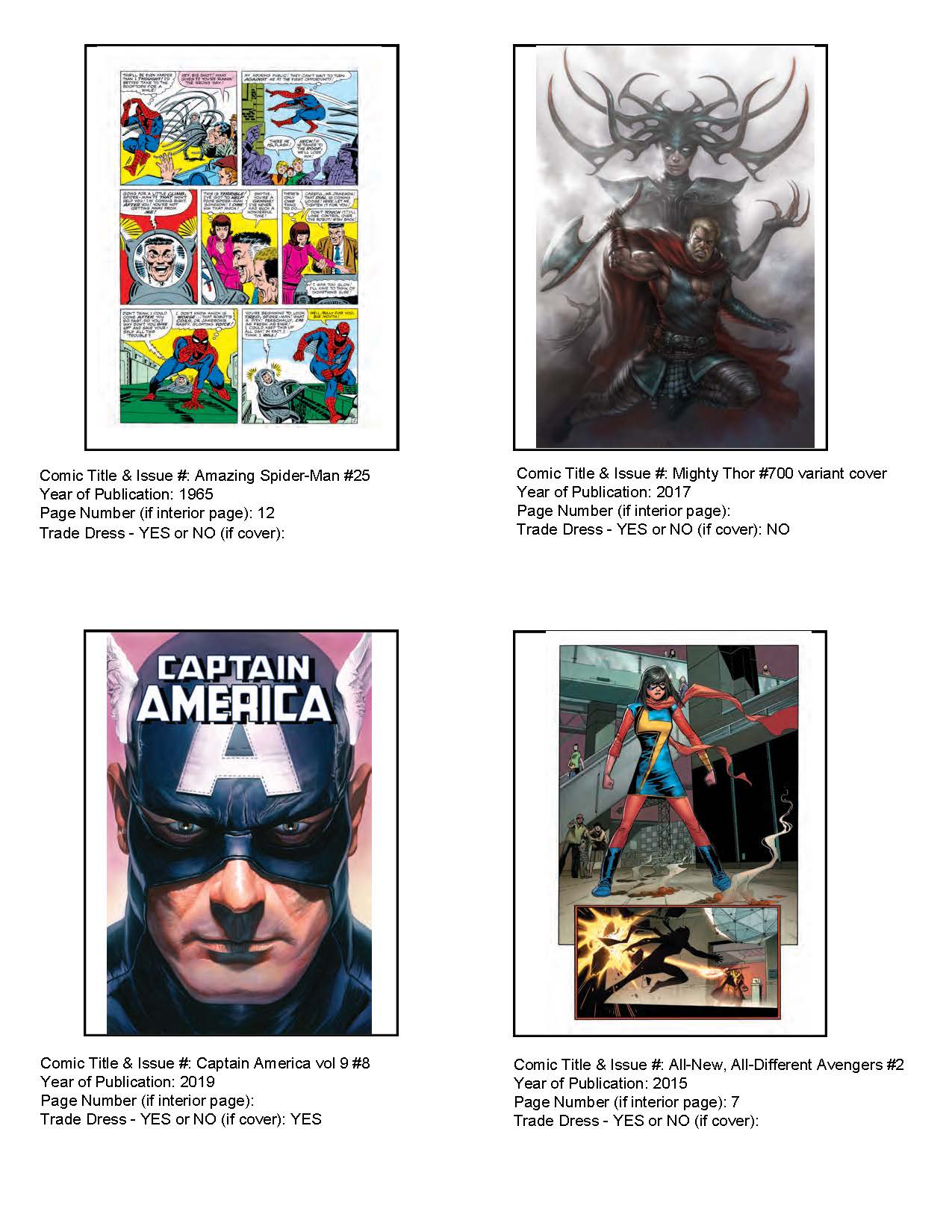
Comments
0 comments
Article is closed for comments.